pet-cameras
Best Budget Pet Camera for Dogs: What Under $60 Actually Gets You
A genuinely good pet camera for dogs costs under $60, records locally, and needs no subscription — here's what you get and give up at that price.
Published 2026-08-02 · 8 min read
Amazon Associates disclosure
As an Amazon Associate, I earn from qualifying purchases. The price you pay is the same. This guide is based on manufacturer specifications, published independent reviews, and verified-buyer feedback, not hands-on testing.

TL;DR
- The real ceiling for a genuinely good budget pet camera is about $60, hardware only.
- All four cameras here record to a local microSD card with zero subscription required.
- Best true cost: the TP-Link Tapo C120 — 2K video, free local recording, about $35, nothing else ever if you skip the optional cloud plan.
- For the full market across every price point, see our 2026 pet camera buyer guide.
As an Amazon Associate I earn from qualifying purchases made through links in this guide. It doesn't change the price you pay. This guide is based on manufacturer specifications and published independent reviews, not personal hands-on testing of every device.
You're leaving a dog alone for the first time in months, maybe ever, and you want to check in from your phone without signing up for another $10-a-month subscription on top of the ones you already have. That's the real question behind best budget pet camera for dogs: not the most features, but which camera does the job for little money and doesn't quietly bill you later. The good news: under $60 now gets 2K-class video and free local recording with no subscription at all. What you give up at that price is the more interesting, honest part.
What actually counts as a "budget" pet camera?
Draw the line at $60, hardware only, before any optional subscription. Below $30: basic 1080p, thin app. $30–$50: the sweet spot — reliable 1080p–2K, a real app, local storage that works. $50–$60: entry-level extras like a treat dispenser. Cross $60 and you're paying for 4K, motorized AI tracking, or subscription-gated features — a different decision, covered in our pet camera buyer guide.
What do you actually get for under $60 right now?
2K-class video and continuous local recording to a microSD card, no subscription required. That's a real shift: every camera in this bracket now supports local microSD storage, including the Wyze Cam Pan v3, which supports cards up to 256GB in exFAT format for continuous recording with no monthly fee, per Wyze's tech specs and microSD setup guide. So the interesting question at this price isn't "will I get forced into a subscription" — you won't. It's what you're trading for the low price.
Which budget pet camera should you actually buy?
It depends on whether you want a fixed wide view, motorized coverage, or a treat dispenser — here's the honest breakdown of all four, cheapest-first-cost to most expensive.
| Camera | Price | Resolution | Coverage | Night vision | Max local storage | Subscription |
|---|---|---|---|---|---|---|
| TP-Link Tapo C120 | $30–40 | 2K QHD (2560×1440) | Fixed, 103° H / 55° V | ~30 ft, dual IR | 512GB microSD | Optional, ~$25/yr |
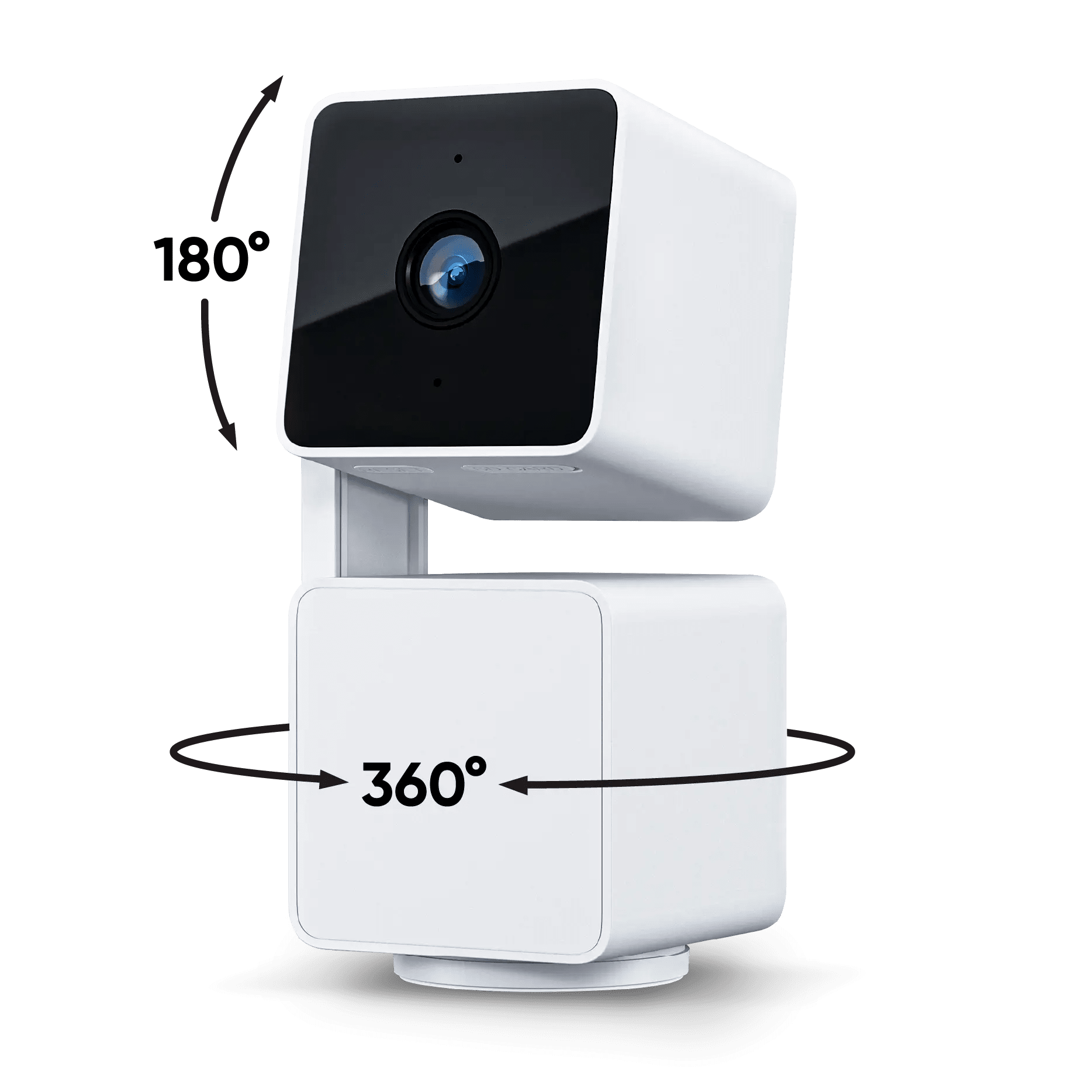
| Wyze Cam Pan v3 | $30–40 | 1080p | 360° pan, 93° tilt | Color night vision (range not published) | 256GB microSD | Optional, ~$30/yr |
| TP-Link Tapo C210 | $35–50 | 2K (2304×1296) | 360° pan, 114° tilt | ~30 ft, IR | 256GB microSD | Optional, ~$25/yr |
| Faroro TD-11 | $55–75 | 1080p | Fixed, 165° | Night vision (range not published) | microSD (max not published) | None |
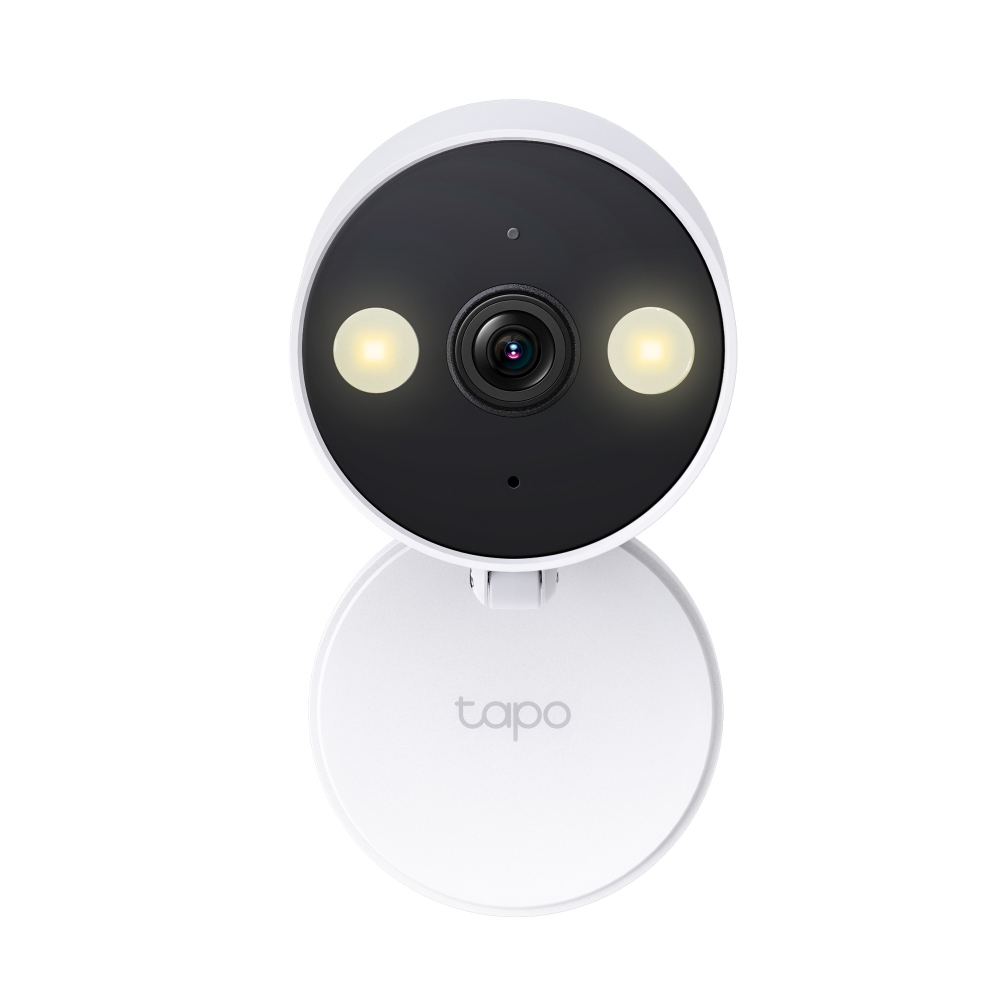
TP-Link Tapo C120 — the true-cost winner. Deciding spec: 2K QHD (2560×1440) over a 103°-horizontal field of view, dual-IR night vision to roughly 30 feet, microSD up to 512GB, per TP-Link's product page and Tom's Guide. Honest con: it's wired, USB-C, 3-meter cable — mount it once and that's the shot; no panning into the next room, and the nearest outlet decides where it lives. Who should NOT buy it: anyone who wants to move the camera around often, or wants motorized pan/tilt.
Wyze Cam Pan v3 — the cheapest entry point. Deciding spec: 360° pan, 93° tilt (down from the older generation's fuller range), color night vision, 256GB microSD, no subscription. The honest con lives in the free cloud tier: without Cam Plus (~$3/mo or ~$30/yr), free clips cap at 12 seconds, and pet bark detection plus AI recognition sit behind that same paid tier, per Wyze's service plans. Local recording is unaffected — but expect a string of 12-second snippets, not a free full-length highlight reel. Who should NOT buy it: anyone who wants free AI bark alerts or full-length cloud clips without paying.
TP-Link Tapo C210 — the pan/tilt pick. Deciding spec: full 360° pan with 114° tilt, still 2K video, roughly 30-foot night vision, 256GB microSD, per TP-Link's store listing. Honest con: a small premium over the C120 for motorized coverage a single-spot dog will never use. Who should NOT buy it: a dog that stays in one predictable spot — the cheaper, fixed C120 covers that for less.
Faroro TD-11 — the treat dispenser. More below.
What do you give up under $60 versus spending more?
Mostly resolution ceiling, motorized flexibility, and which extras are free. Every camera here tops out around 2K, not 4K — the buyer guide's overall pick runs 4K dual-lens, a step up you only get by spending more. Wyze gives up free full-length cloud clips and AI bark recognition unless you add its $30/year plan; the Tapo C120 gives up mobility for a wired mount; the Tapo C210 spends a few extra dollars on coverage some dogs never need. None of that is a trap — every core feature (local recording, live view, two-way audio) works free on all four regardless of spend.
For contrast, a subscription-gated camera in the $200+ bracket can run roughly $480 over three years, even on its cheapest annual plan. That's not a worse camera — a different purchase, buying motorized AI tracking and cloud history on purpose. For that need, we recommend the Furbo 360 in our guide to the best pet camera for dogs with separation anxiety — out of scope here, not a camera to avoid.
What does a budget camera actually cost over three years?
Close to nothing beyond the sticker price, if you skip cloud. Here's the true cost with local-only storage versus adding the cheapest optional cloud plan:
| Camera | Hardware | Local-only (Yr 1 / Yr 3) | With optional cloud (Yr 1 / Yr 3) |
|---|---|---|---|
| Tapo C120 | ~$35 | $35 / $35 | ~$60 / ~$105 (Tapo Care, ~$25/yr) |
| Wyze Cam Pan v3 | ~$35 | $35 / $35 | ~$65 / ~$125 (Cam Plus, ~$30/yr) |
| Tapo C210 | ~$40 | $40 / $40 | ~$65 / ~$110 (Tapo Care, ~$25/yr) |
| Faroro TD-11 | ~$65 | $65 / $65 | No cloud tier confirmed |
Local-only, the math barely moves in three years — you paid once and that's the bill. Add cloud on the Tapo C120 and three years still runs about $107; skip it and it's $35 forever. That's what actually matters more than any spec sheet: the subscription here is optional and cheap, not mandatory and creeping.
Is the treat-dispenser option worth it?
Only if you specifically want remote treat tossing — not as a default upgrade. The Faroro TD-11, around $55–75, offers 1080p, a 165° field of view, two-way audio, and a phone-controlled treat hopper, no subscription required. The catch shows up across every treat-dispenser camera, not just this one: soft, sticky, or oversized treats jam the mechanism, documented across brands by CNN Underscored and Journey Dog Training. Small, hard, uniform kibble works; a soft treat mid-toss gets you a jammed hopper instead of a happy dog.
Plainly: at roughly $30 more than the cheapest plain camera here, the TD-11 is genuinely skippable unless you actually want the toss feature — the Tapo C120 does the core camera job better for less. If treat-tossing is the point, our full pet camera with treat dispenser roundup covers five options, including larger hoppers and anti-jam designs.
Is a budget camera safe to put in your home?
Yes, with the hygiene you'd apply to any connected device: a strong unique password, two-factor authentication where offered, and an updated app. That's the FTC's guidance on home security cameras — change the default password, use something unique, enable 2FA. It matters more here than most gadgets, since a breached camera exposes your household, not just data.
Worth naming directly: in 2025, researchers disclosed CVE-2025-14553, a real, logged vulnerability in the Tapo app that could leak a password hash to another device on the same local network — rated 7.5, High, on CVSS. It's fixed: TP-Link's advisory confirms the fix ships in an app update, not new hardware. The risk only remains for anyone running an outdated app — update it once and it closes.
Can a camera help with a dog's separation anxiety?
It helps you monitor the behavior — pacing, whining, barking while you're out — but it doesn't treat the condition. That's the literal guidance from the ASPCA on separation anxiety: a camera is a monitoring tool; real desensitization training or veterinary guidance is what addresses the anxiety itself. Any of these four cameras lets you see and hear what's happening; none is a substitute for a vet or trainer. For the anxiety-specific angle, see our pet camera for dogs with separation anxiety guide.
Our pick
Bottom line: For most owners, the TP-Link Tapo C120 is the pick — 2K video, free local recording via a 512GB microSD card, about $35, nothing else to pay unless you choose to. Want motorized coverage instead of a fixed lens? The Tapo C210 covers a whole room for a few dollars more. Want the cheapest entry point? The Wyze Cam Pan v3 gets you in for about $35. Want treat-tossing, jam risk and all? The Faroro TD-11 is the only one here that does it — skip it if a plain camera is all you need.
Under $60 no longer means compromise on the basics: local recording, no forced subscription, video good enough to see what your dog is doing. Spend more only for what this bracket doesn't do — 4K, AI tracking, free motorized alerts — not because the cheap option will nickel-and-dime you. It won't.